
For Professionals
A PowerPoint for your oncology talk, built from the papers
Describe the talk you have to give. OncoPulse finds the papers, writes the slides from them, and hands you an editable PowerPoint with speaker notes, sources and figures from open-access trials. You choose how it looks, edit every slide, and download the file.
AI PowerPoint Builder
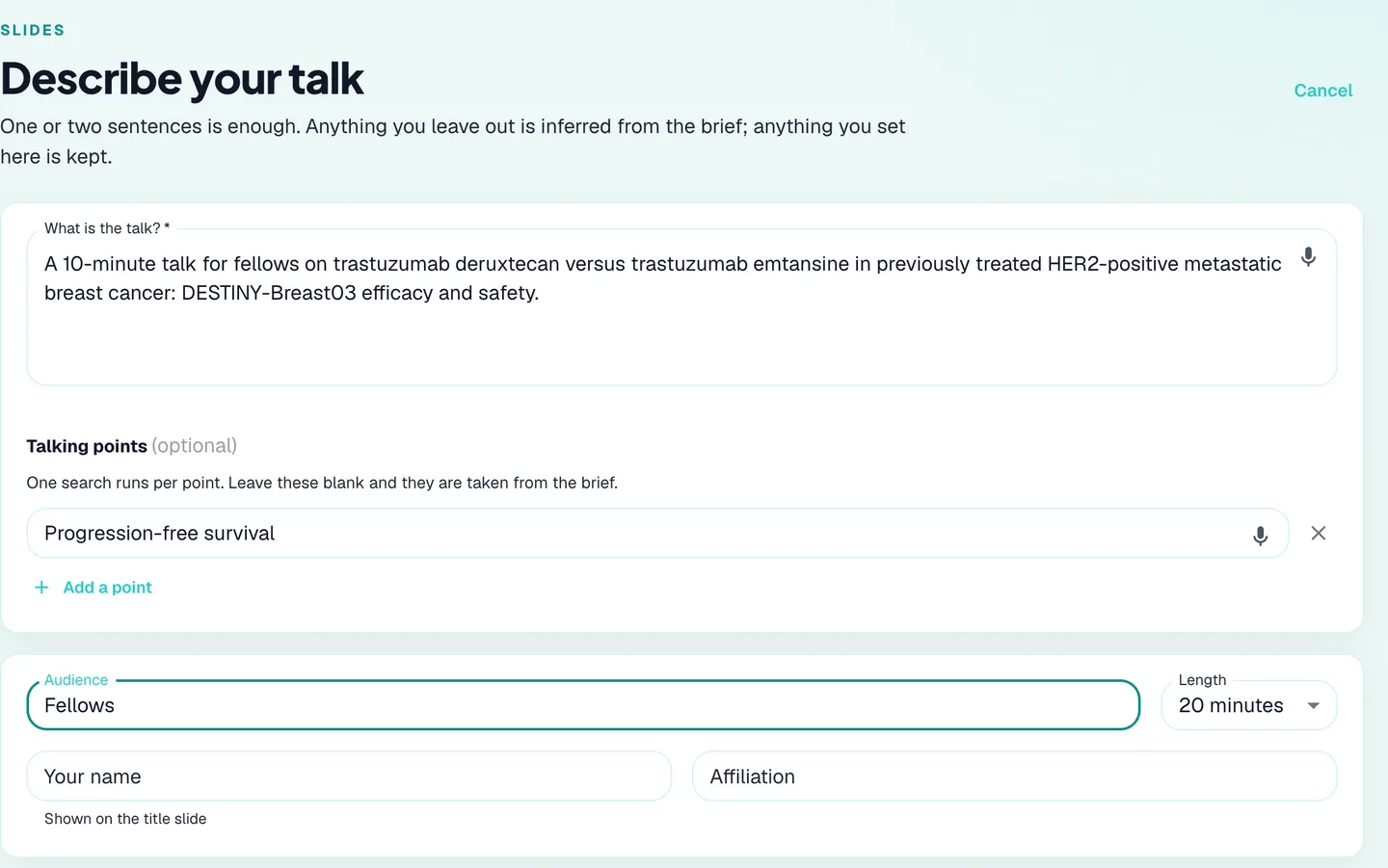
Describe the talk in a sentence or two
Say who it is for, how long you have and what it should cover. Add talking points if you have them, and one search runs for each; leave them blank and they are taken from your description. If there are papers you already know you want, add them by PMID, DOI or trial number and they are always included. Your name and affiliation go on the title slide.
AI PowerPoint Builder
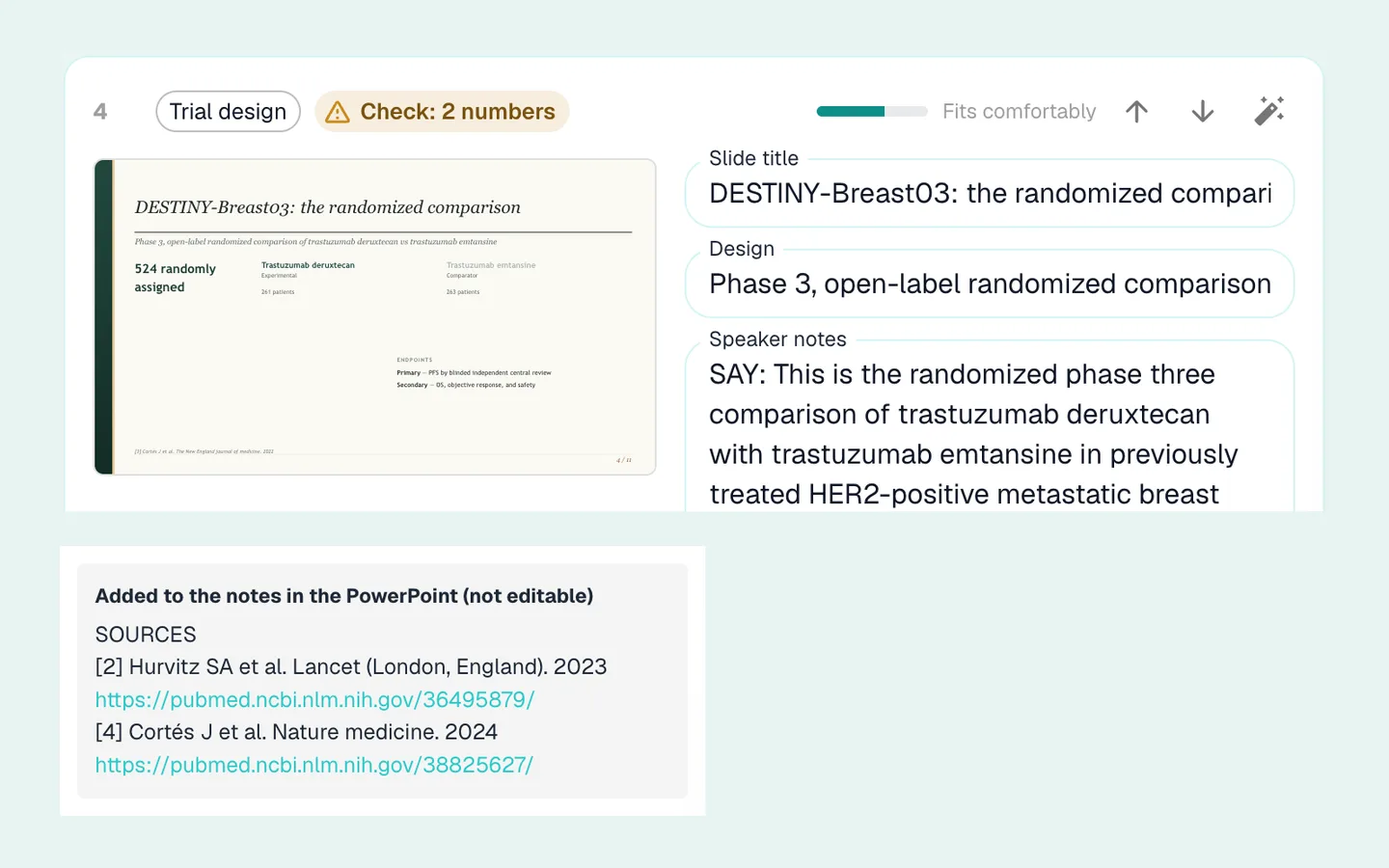
Numbers that cannot be checked are flagged, not hidden
The builder searches PubMed for each talking point and reads the full text of open-access papers where the licence allows it. Every number on a slide has to match a quote from the paper it cites. When one does not, the slide is not thrown away: it is kept, marked "Check: 2 numbers", and the link to the paper goes into the speaker notes, so you can open it and confirm before you present. Each cited slide carries its sources in the notes as well.
AI PowerPoint Builder
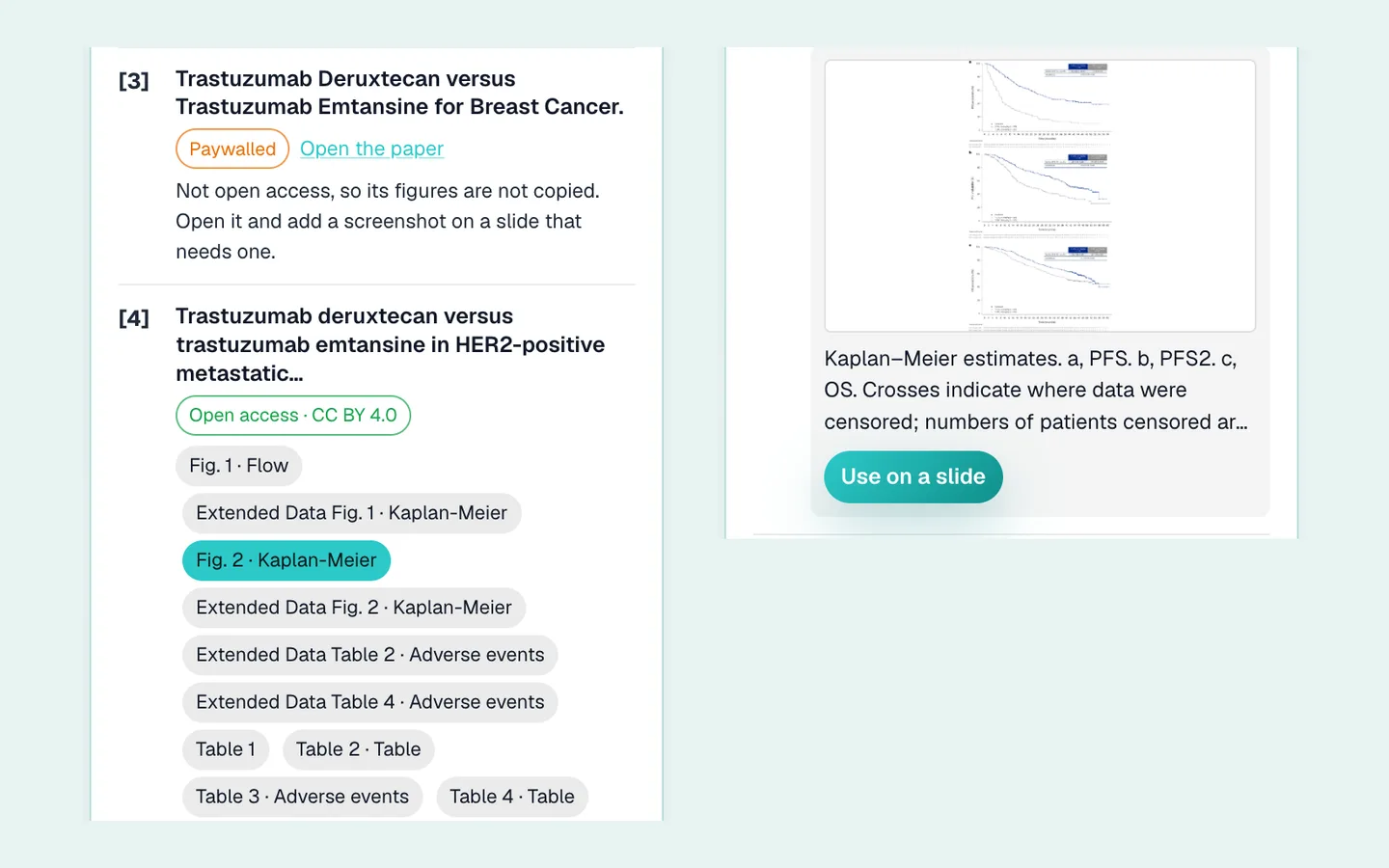
Real figures and tables from open-access trials
A trial talk is built around its Kaplan-Meier curves, its baseline table and its adverse events. When a paper is open access under a licence that allows reuse, its figures and tables are offered beside your slides, each credited under the licence it was published with, and a table can come in as a real PowerPoint table you can edit. When a paper is not open access, nothing is copied: you are told so, given the link, and can paste a screenshot of your own once you confirm you have the right to use it.
AI PowerPoint Builder
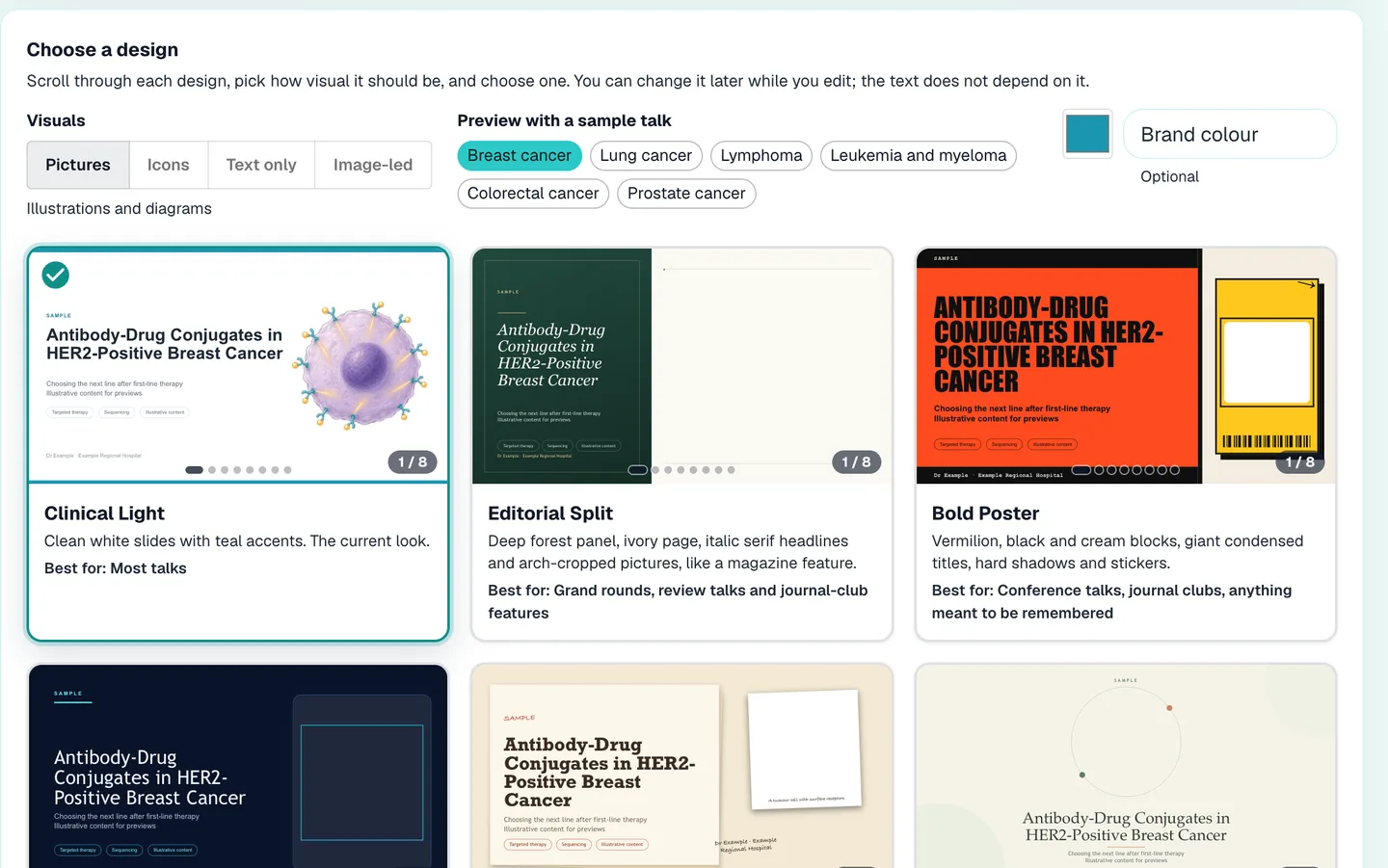
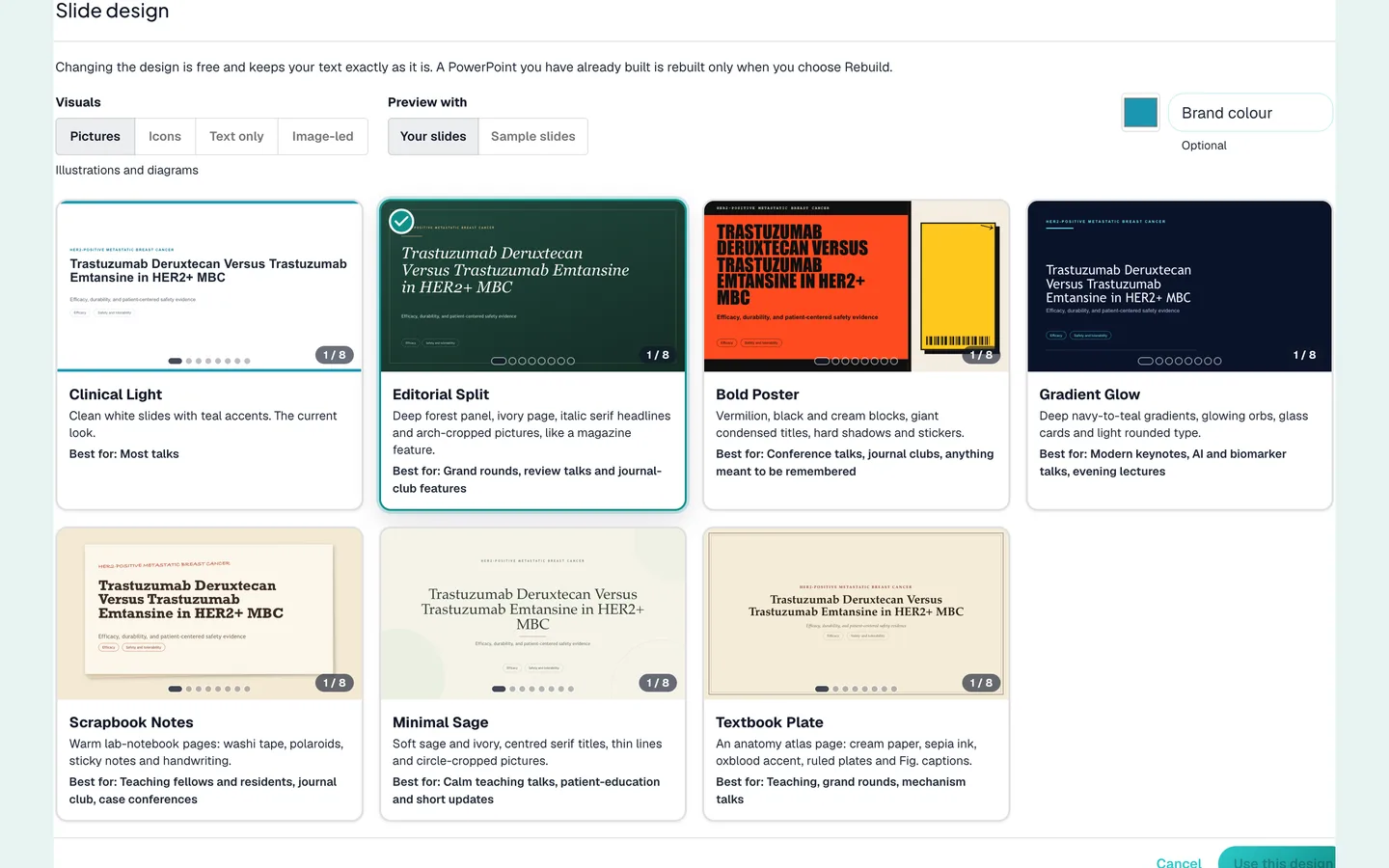
Seven designs that look different from each other
Clinical Light, Editorial Split, Bold Poster, Gradient Glow, Scrapbook Notes, Minimal Sage and Textbook Plate are not one template in seven colours. Each has its own layout, type and way of treating pictures. Choose how visual the talk should be (pictures, icons, text only or image-led) and set a brand colour if you want one.
AI PowerPoint Builder
See your own talk in every design before you choose
Preview with your own slides, or with a sample talk in breast cancer, lung cancer, lymphoma, leukemia and myeloma, colorectal cancer or prostate cancer. Changing the design later is free and keeps your text exactly as it is; a PowerPoint you have already built is rebuilt only when you choose Rebuild.
AI PowerPoint Builder
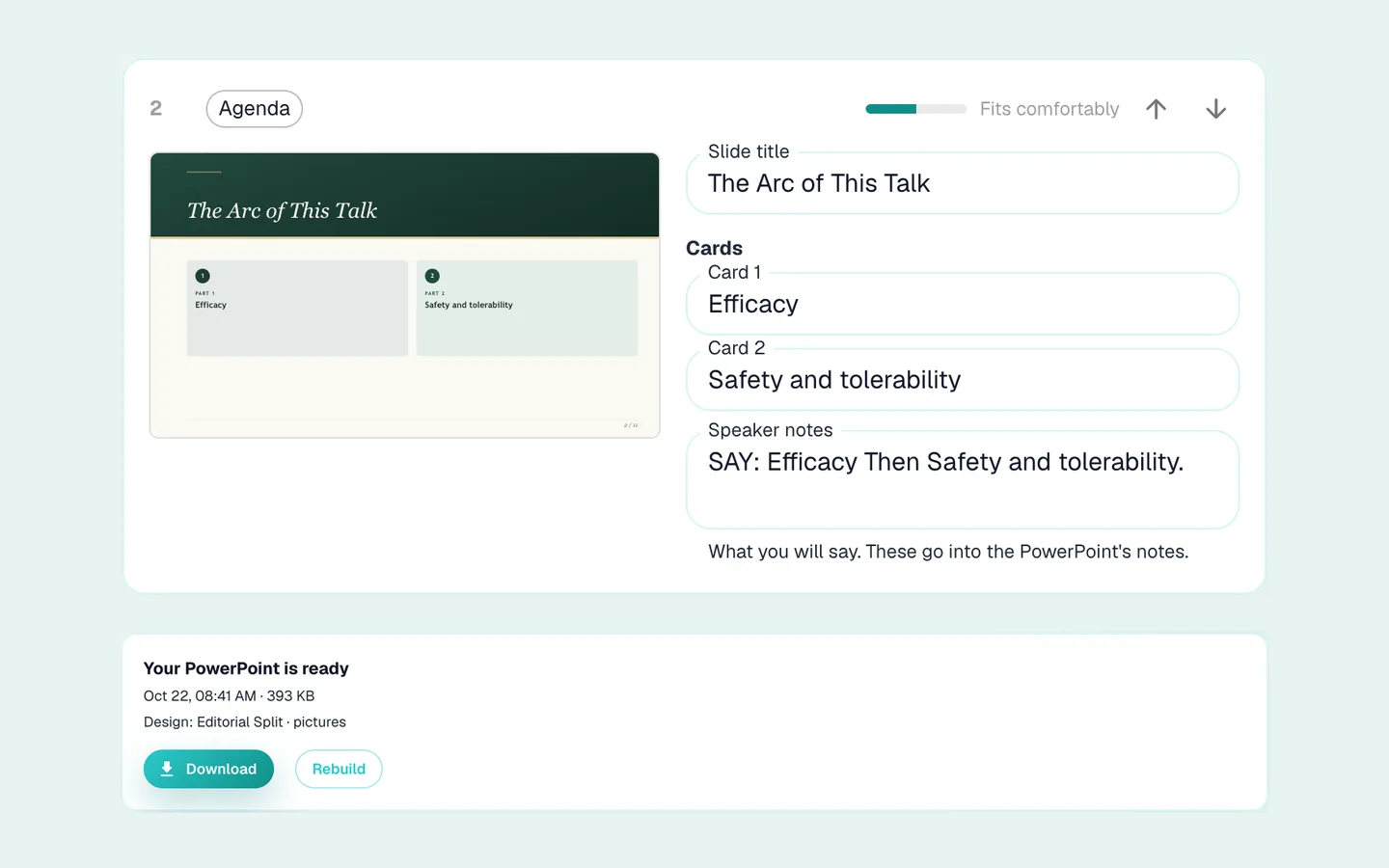
Edit every slide, then download the PowerPoint
Every title, line of text and speaker note is yours to change, with a meter that tells you when a slide is getting full. Move slides up and down, or press the plus between two slides to add a blank one or have one written for what you say it should cover. The PowerPoint comes with the citations in the footers, click animations, and a references slide whose entries link to the papers. It is a starting point for your talk, not a replacement for reading the studies: check the numbers against the paper before you present.
Give your next talk a head start
Free to start. Describe the talk, and see the slides it comes back with.
Start OncoPulse free