
Board review, journal club prep, and a way to stay current on new trial data — written and reviewed by practicing hematologist-oncologists.
Where do you fit?
Built for hematology and oncology at every stage — training, practice, and running a program.
For Fellows
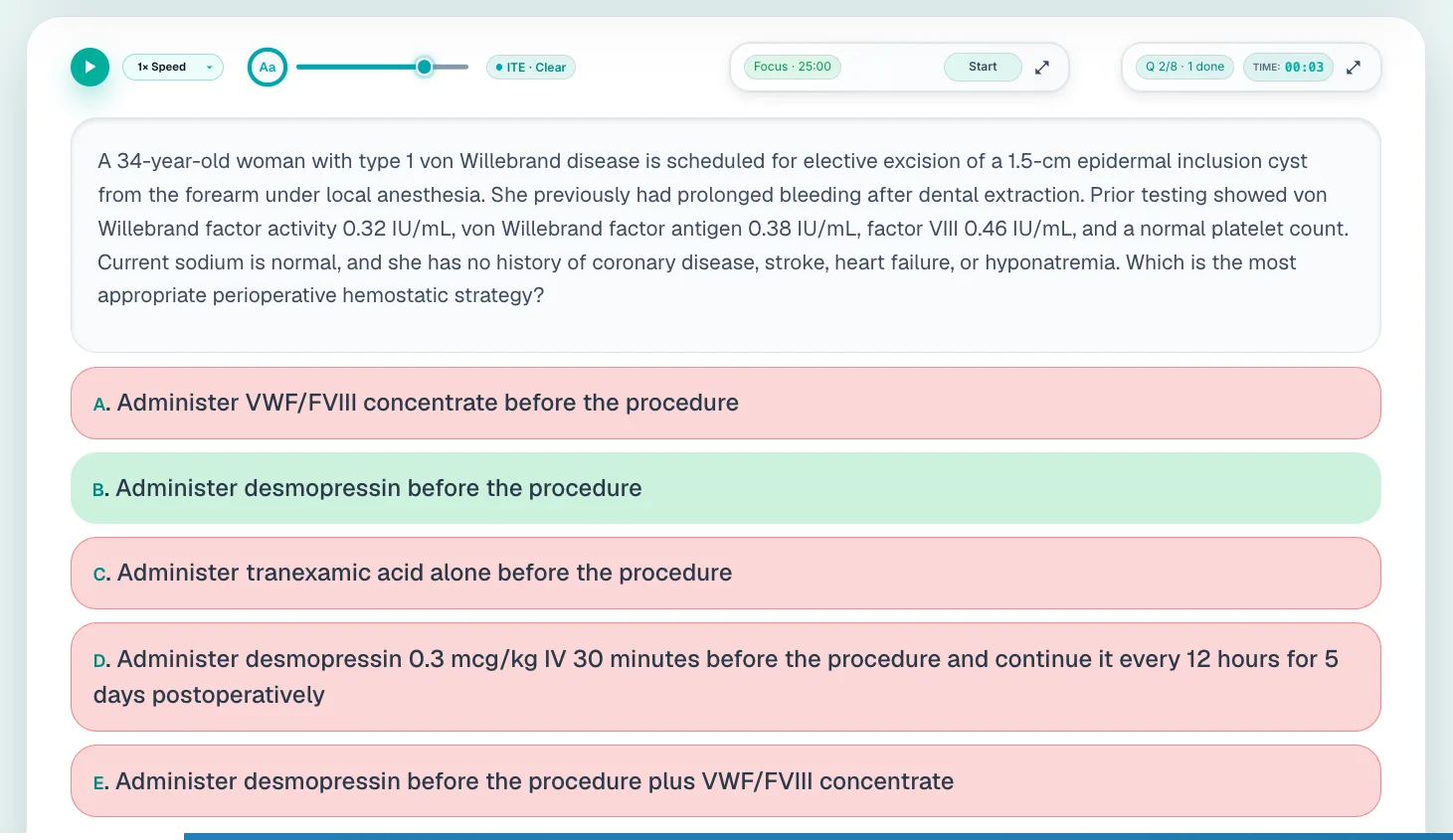
Board-style questions written and reviewed by practising hematologist-oncologists, with the explanations and study tools to turn a wrong answer into something you keep.
Hematology-Oncology Question Bank
Learning Tools
Chrome Extension
For Professionals
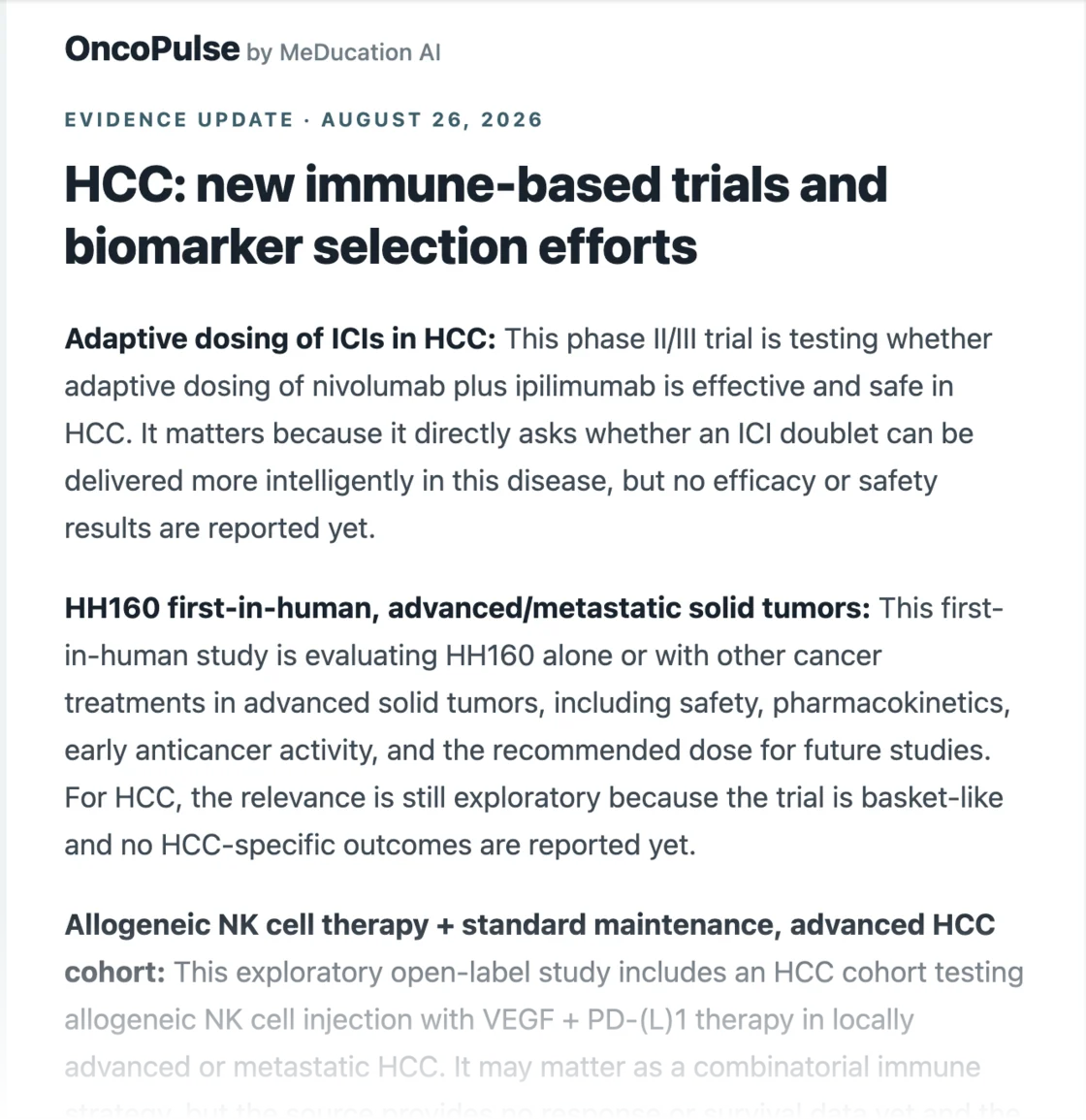
Keep up with the evidence that changes what you do on Monday.
OncoPulse
Attending Teaching Tools
For Programs
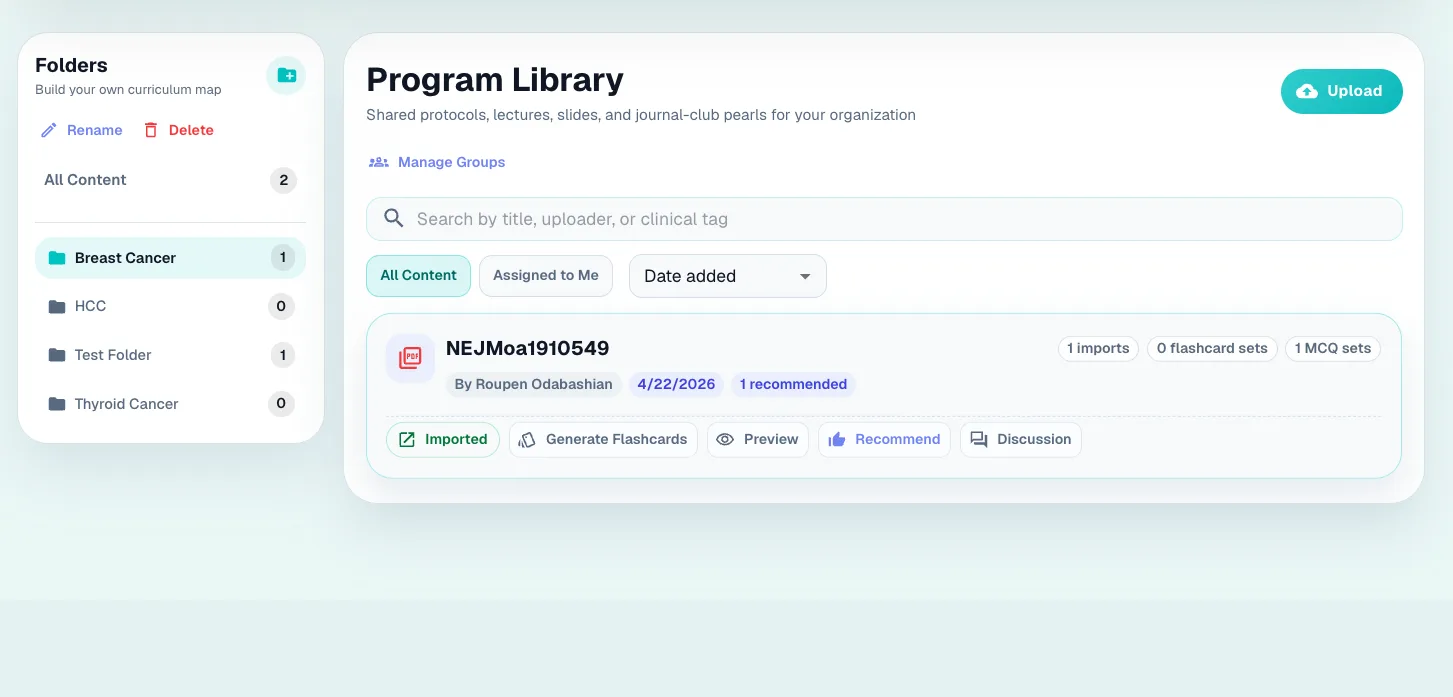
Give your fellows one library, see who is struggling before the in-training exam tells you, and hand your faculty teaching material they did not have to write.
Program Library
Program Director Dashboard
Attending Teaching Tools
Trusted by fellows, attendings, NPs and PAs at
University of Michigan
Karmanos Cancer Institute
Cleveland Clinic
National Institutes of Health
I honestly love it, I really just need to use it more. I have recommended this platform to multiple colleagues!
Hematology-oncology fellow
National Institutes of Health
I use it every day. It is the best platform I have found for learning hematology and oncology.
Hematology-oncology fellow
University of Chicago
I use it to build presentations and write questions for teaching my fellows.
Attending hematologist-oncologist
Arizona
01 · Study Suite
Your question bank, notes, lectures, and flashcards all live on one platform, so you never break focus hunting across a dozen tabs and logins.
Question Bank
Adaptive, physician-authored questions with the full clinical reasoning behind every answer — built to make the reasoning stick, not just get you to the next question.
Written and reviewed by practicing hematologist-oncologists — not AI content repackaged as education.
Every explanation covers why the right answer is right and why each distractor is wrong.
Supporting images, tables, and direct PubMed links on every question.
Read-aloud, active-reading highlights, and adjustable text so you can study anywhere.
Learning Tools
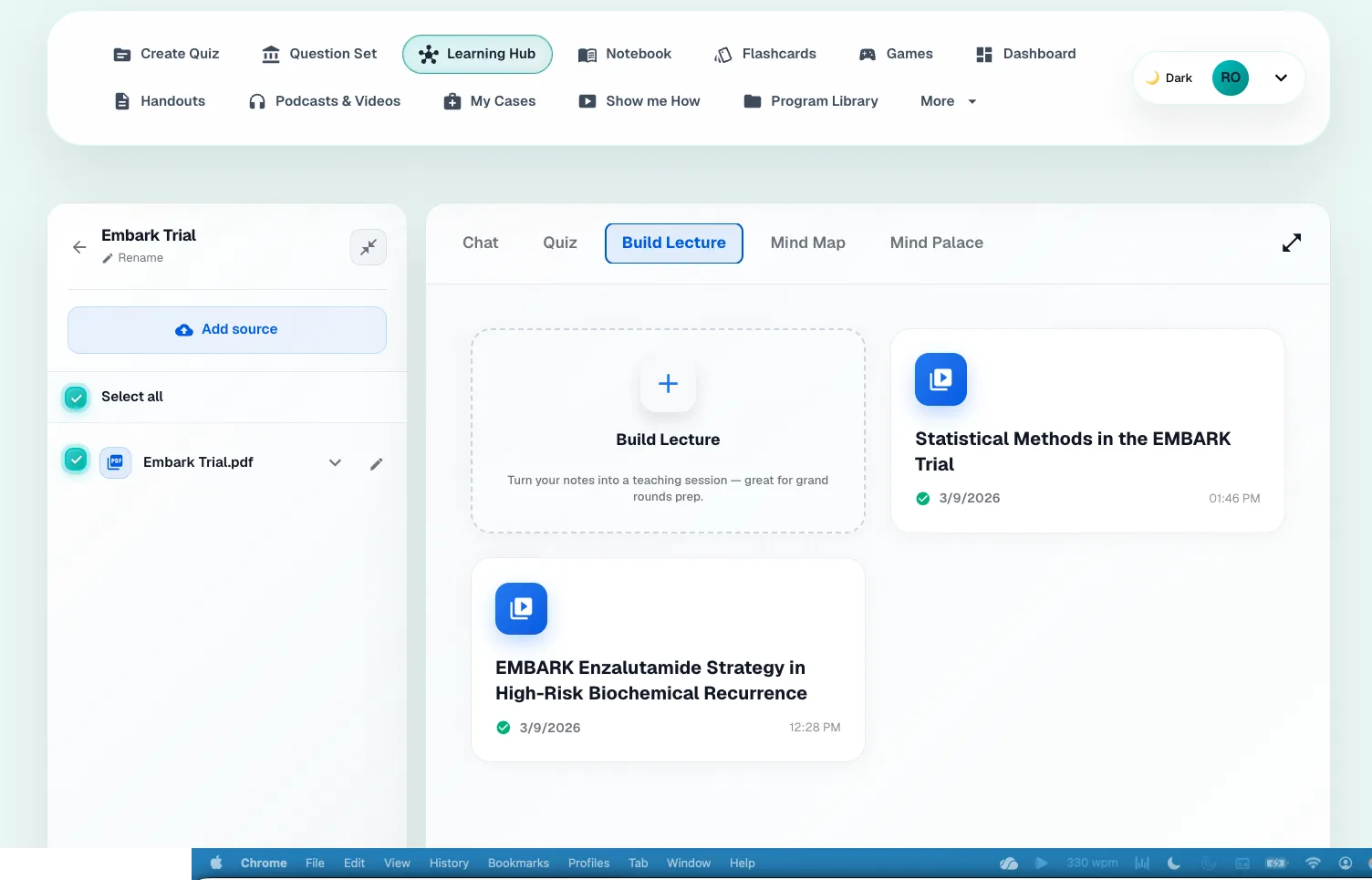
Upload a guideline, paper, or slide deck and the Learning Tools turns it into board-style questions and flashcards. It doesn't stop at studying — build a full lecture from the same file, edit the AI slides on-platform, and export an animated PowerPoint for journal club or tumor board next week.
Board-style quizzes generated from your own uploads, with a performance report after each set.
AI-built lectures with generated slide content and images you can edit before you present.
Export a ready-to-present, fully animated .pptx — walk in, plug in, present.
FSRS flashcards pulled straight from the material you need to master.
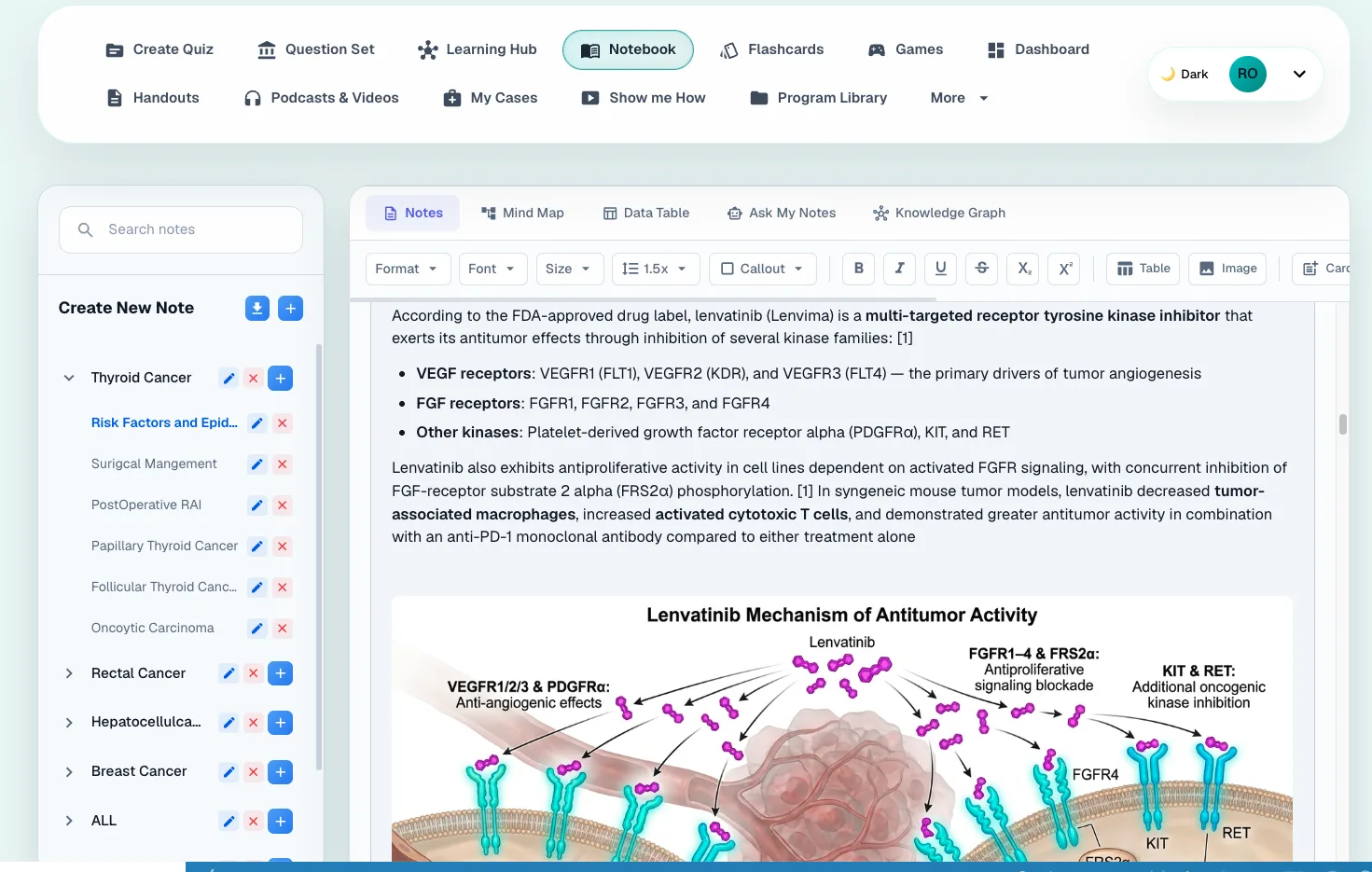
Notebook
Take notes right beside the questions you're solving, then turn them into more than text. The Notebook is a full study engine — no switching tabs, no separate apps.
Turn any note into an AI-generated image to lock in a treatment algorithm in seconds.
Interactive mind maps that regenerate as your notes grow.
A living knowledge graph connecting diseases, drugs, genes, and biomarkers across topics.
Chat with your notes, generate data tables, and build flashcards — all from what you already wrote.
Notebook · Text to image
Three paragraphs on familial thyroid carcinoma is a lot to hold in your head the night before an exam. Paste it into the Notebook and get back a labelled figure of the same thing — the pattern of inheritance, the spread, and the syndromes it travels with, in one look.
Your note
Familial Syndromes
Familial, non-medullary carcinoma accounts for about 5% of PTCs and may be clinically more aggressive than the sporadic form.
For patients to be considered as having familial papillary carcinoma, most studies require at least three first-degree relatives with papillary carcinoma, because a single affected first-degree relative may be a chance event.
Microscopic familial papillary carcinoma is often multifocal and bilateral, with vascular invasion, lymph node metastases, and high rates of recurrence and distant metastases. Other familial syndromes associated with papillary carcinoma include FAP and Carney complex (multiple neoplasia and lentiginosis syndrome affecting endocrine glands), although the prognosis for these syndromes is not different from that of spontaneously occurring papillary carcinoma.
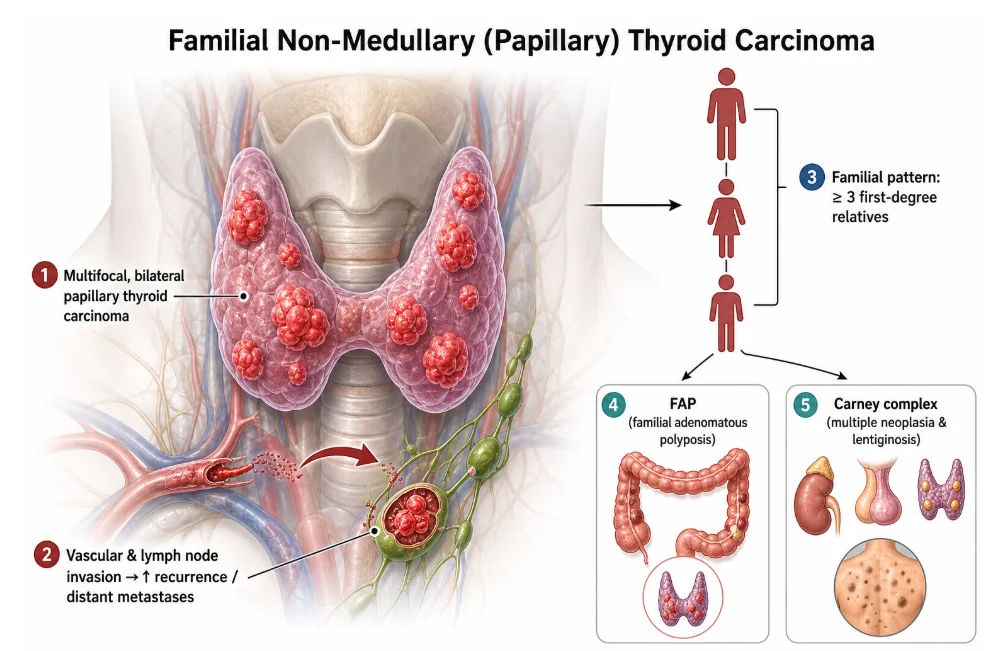
Generated from that note, in seconds
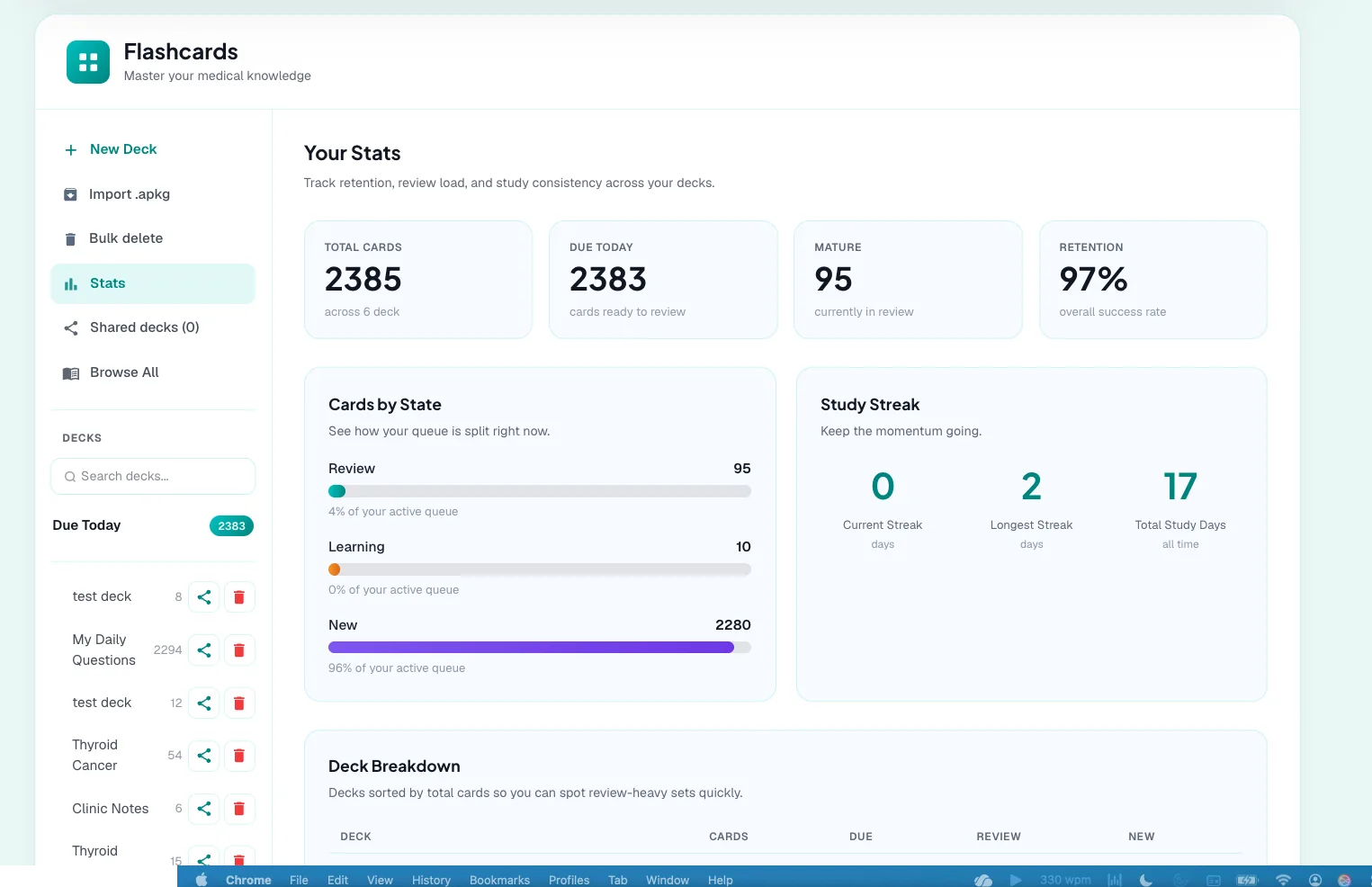
Flash Cards
The spaced-repetition engine you trust, wrapped in a design that's actually easy to use. Bring the decks you already have and make them work harder.
The same FSRS spaced-repetition algorithm as Anki, with a far cleaner design.
Import and upload your existing Anki decks in a click.
Turn any flashcard into an AI-generated image for visual recall.
Share decks across your program — each learner starts on their own review schedule.
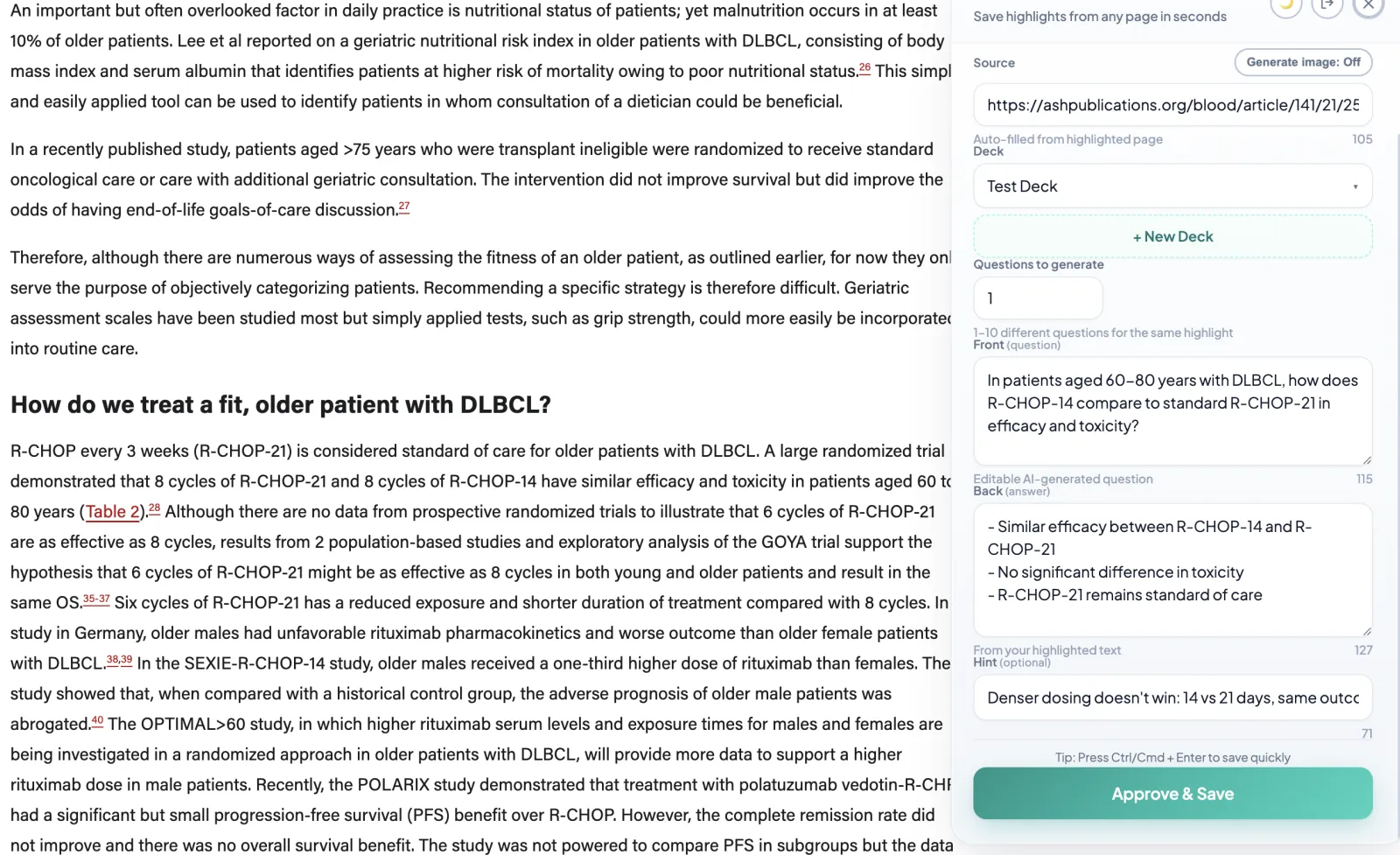
Chrome Extension
Reading a journal article, a guideline, or any page on the internet? Highlight the text and our Chrome extension turns it into flashcards and sends them straight to your MeducationAI decks — without ever leaving the page.
Works on any website — journals, guidelines, UpToDate, blogs.
Highlight text and generate a question-and-answer card in seconds.
Auto-fills the source link and lets you pick or create a deck.
Cards land in your MeducationAI account, ready for spaced repetition.
More in the Study Suite
Games
Turn your lectures into games. Drop in your slides and review the material as interactive games instead of re-reading them.
Handouts
One clean summary for how to approach each cancer — staging, biomarkers, and treatment algorithms at a glance.
Podcasts
The best podcasts for every cancer, curated by physicians — so you don't spend hours hunting for them.
02 · In Practice
Keep up with the evidence that changes what you do on Monday.
OncoPulse · Free
Practice-changing trials, publications and FDA approvals arrive every week across every tumour type, and the handful that matter to you are buried in the rest. Tell OncoPulse which topics you follow and it does the reading.
You pick the topics — it watches the trials, publications and approvals on those.
Every update is checked against what you have already been sent, so nothing arrives twice.
Each item comes with the citation it came from, not a summary you have to go and verify.
Arrives by email, on a schedule you set — and you can pause or change it whenever.
03 · Program Tools
When a program comes on board, faculty get a shared home for their teaching material and a simple way to author content and see how their fellows are actually engaging with it.
Program Library
A curated, trackable library for the whole program. Upload guidelines and materials once, organize them by fellowship year and topic, and let fellows study from them without leaving the platform.
Share material across the entire program or with specific fellows.
Fellows preview, comment on, and recommend resources — a two-way library, not a top-down archive.
See engagement per resource: what fellows open, return to, and build flashcards from.
Plugs straight into each fellow's Learning Tools and Notebook.
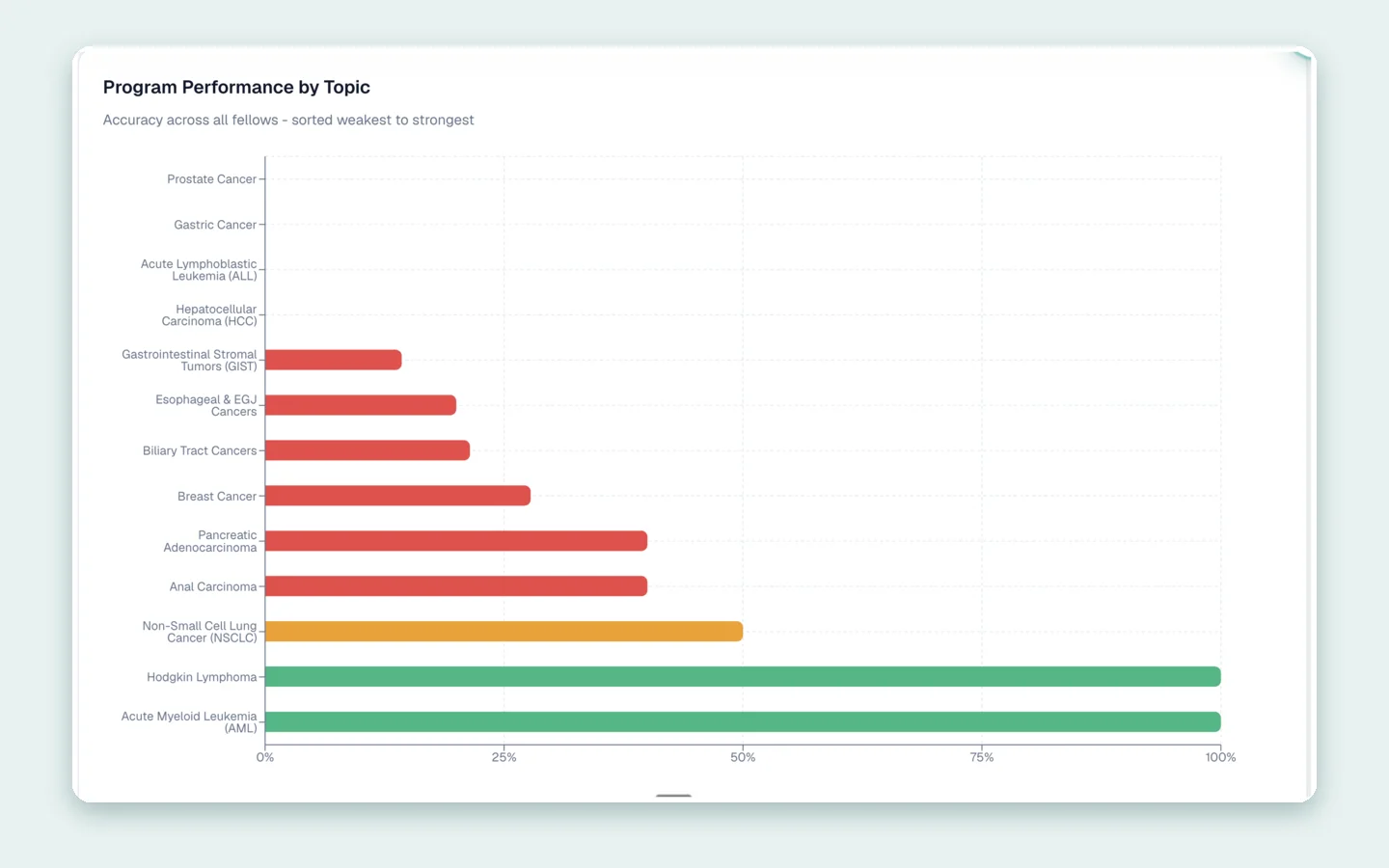
Program Director Dashboard
The ITE arrives once a year and tells you what you needed to know last spring. Upload it, read it beside what your fellows are actually doing on the platform, and find the gaps while there is still time to teach into them.
Upload the ITE and read the whole cohort's results in one place.
The topics your fellows are weakest on, ranked — not a spreadsheet you have to work out.
Who is actually studying, and who has not opened it since July.
How your program compares with everyone else on the platform.
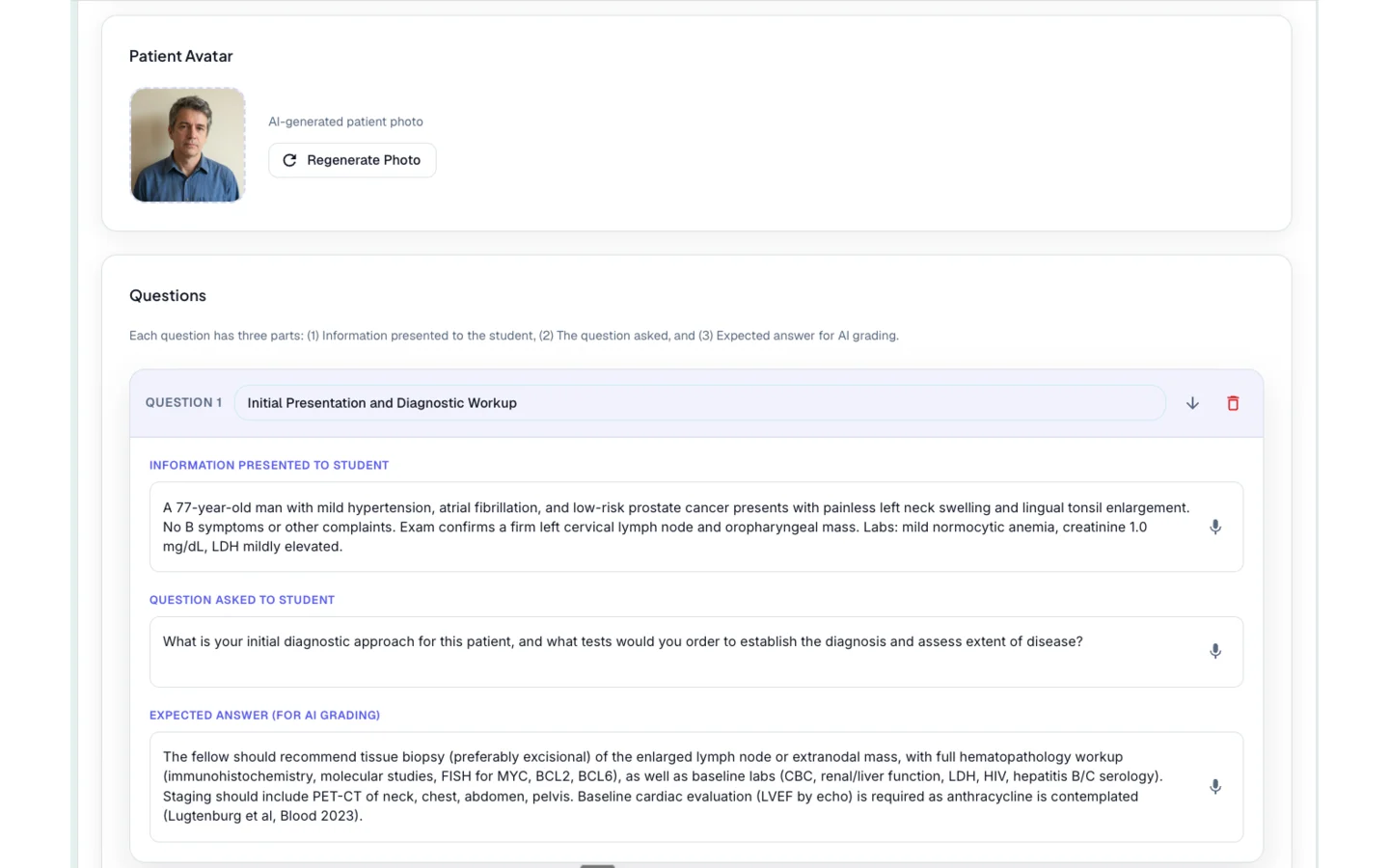
Attending Teaching Tools
You saw something worth teaching on rounds this morning. Write it up as a case or a set of questions while it is still fresh, hand it to your fellows, and see how the group did without singling anyone out.
Build board-style questions from the paper you want them to read.
Turn a patient you saw into an interactive case with diagnosis, workup and management.
Group-level results: where the cohort is weak, not who got it wrong.
Built by physicians
MeducationAI is written and reviewed by practising hematologist-oncologists — the people who sat the exams the question bank is for.
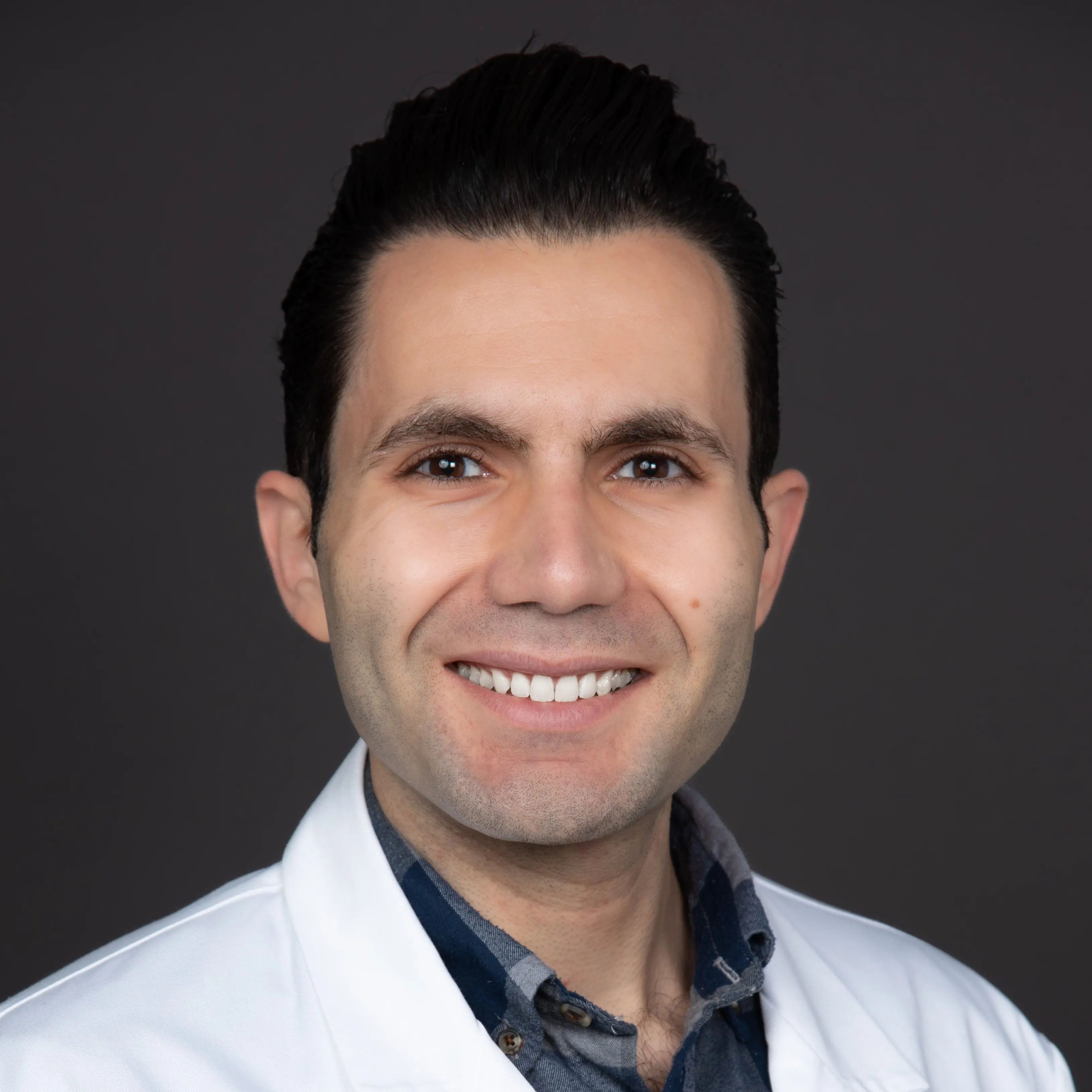
Dr. Roupen Odabashian
Founder
A hematology and medical oncology physician board certified by the American Board of Internal Medicine (ABIM) and the Royal College of Physicians and Surgeons of Canada (FRCPC), and a Fellow of the American Society of Clinical Oncology (FASCO).
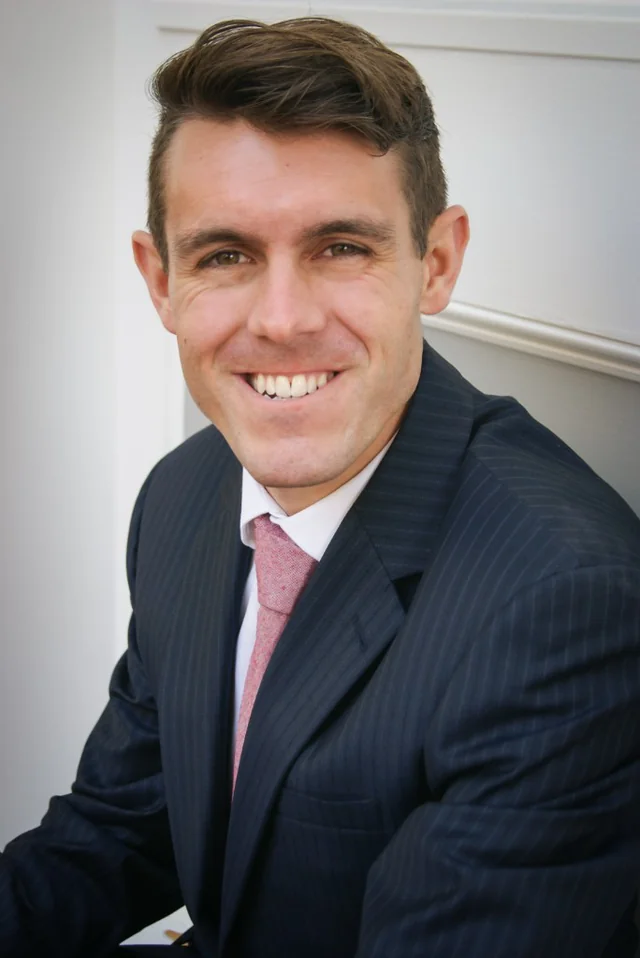
Dr. Daniel Barnett
Hematology & Medical Oncology
An oncology physician in Tucson, Arizona, with training in internal medicine and ongoing fellowship training in hematology and medical oncology at the University of Arizona. His clinical interests include medical oncology, hematologic oncology and sarcomas.